Reminders
Designing reminders from Copilot that accurately reflect user intent and can vary on each send.
Problem
Reminders is a core productivity use case that log inspection showed many users expect—they'd ask Copilot if it could set a reminder and it would refuse or hallucinate that it could. This was hurting trust with users.
Reminders also present an opportunity to consistently reengage users in a way that brings them value.
Solution
The scope of this v1 launch included explicit reminders, so reminders that the user explicitly asks for rather than ones that are inferred from context. These reminders could be static (i.e. the same on every send, like "Remind me to meal prep every Sunday") or dynamic (i.e. varied on each send, like "Teach me a new Tagalog word every day").
My key contributions
Product and content design
There was no product design bandwidth to support this project, so I designed the user experience—primarily through reusing existing patterns. This included both mobile and web designs for a reminder management surface, although only mobile are included in this case study for brevity.
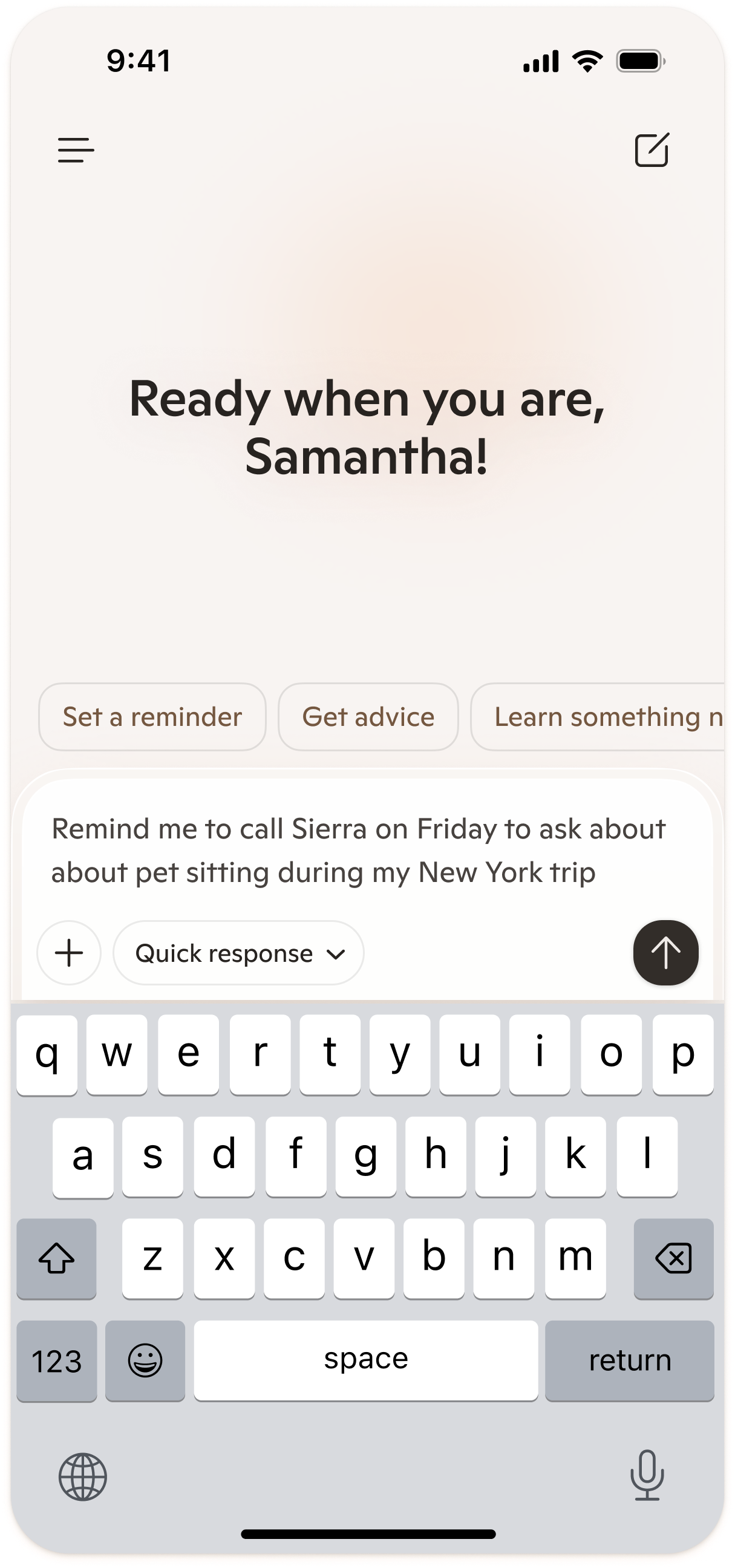
Screen title
Add your rationale for this screen here.
Prompt engineering
I drove a substantial portion of the prompt engineering in this project. I partnered with a backend engineer to understand how the prompt files would need to be set up in our backend system in order to work together correctly.
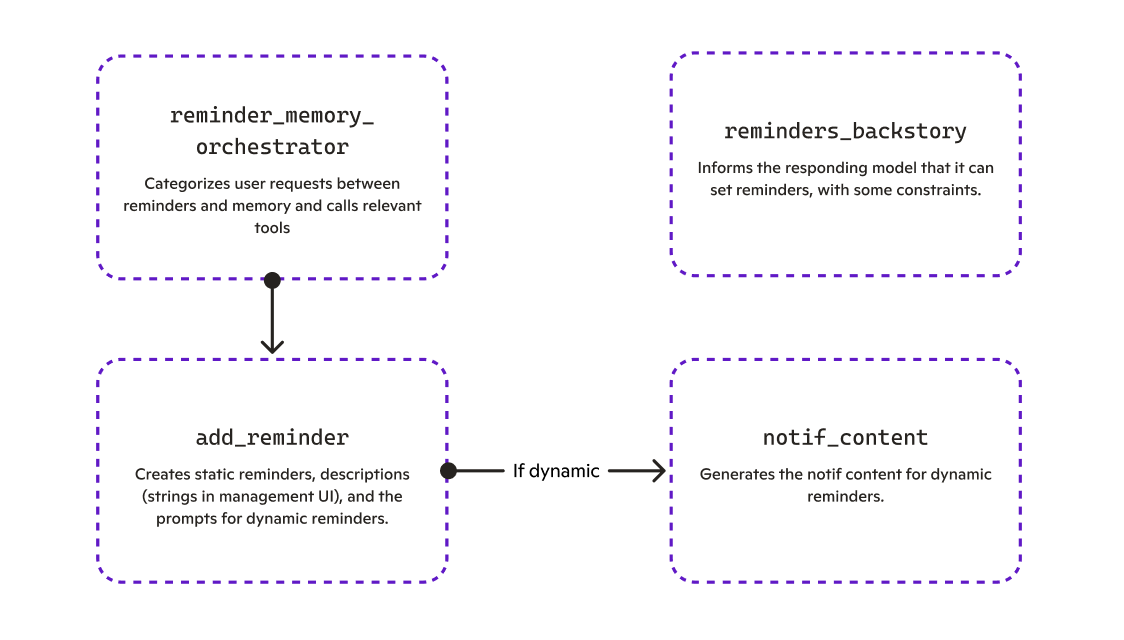
First, we had to have an orchestrator prompt that helped the model decide between if it should call tools related to reminders or memory, as both are similar in that the user is asking Copilot to remember something for them. If the orchestrator calls the reminder tool, it uses the add-reminder prompt to output a JSON of reminder metadata and, if the reminder is static, strings to send to the user when the reminder triggers.
If the reminder is dynamic, then add-reminder calls the notif-content prompt, which generates the strings for each notification send.
reminders-backstory tells the main responding model that it has reminder capabilities and communicates some of the constraints with the v1 of the feature. For example, users weren't able to set reminders across timezones (i.e. "Remind me to call my mom at 9 AM Guangzhou time") due to a bug discovered in dogfooding.
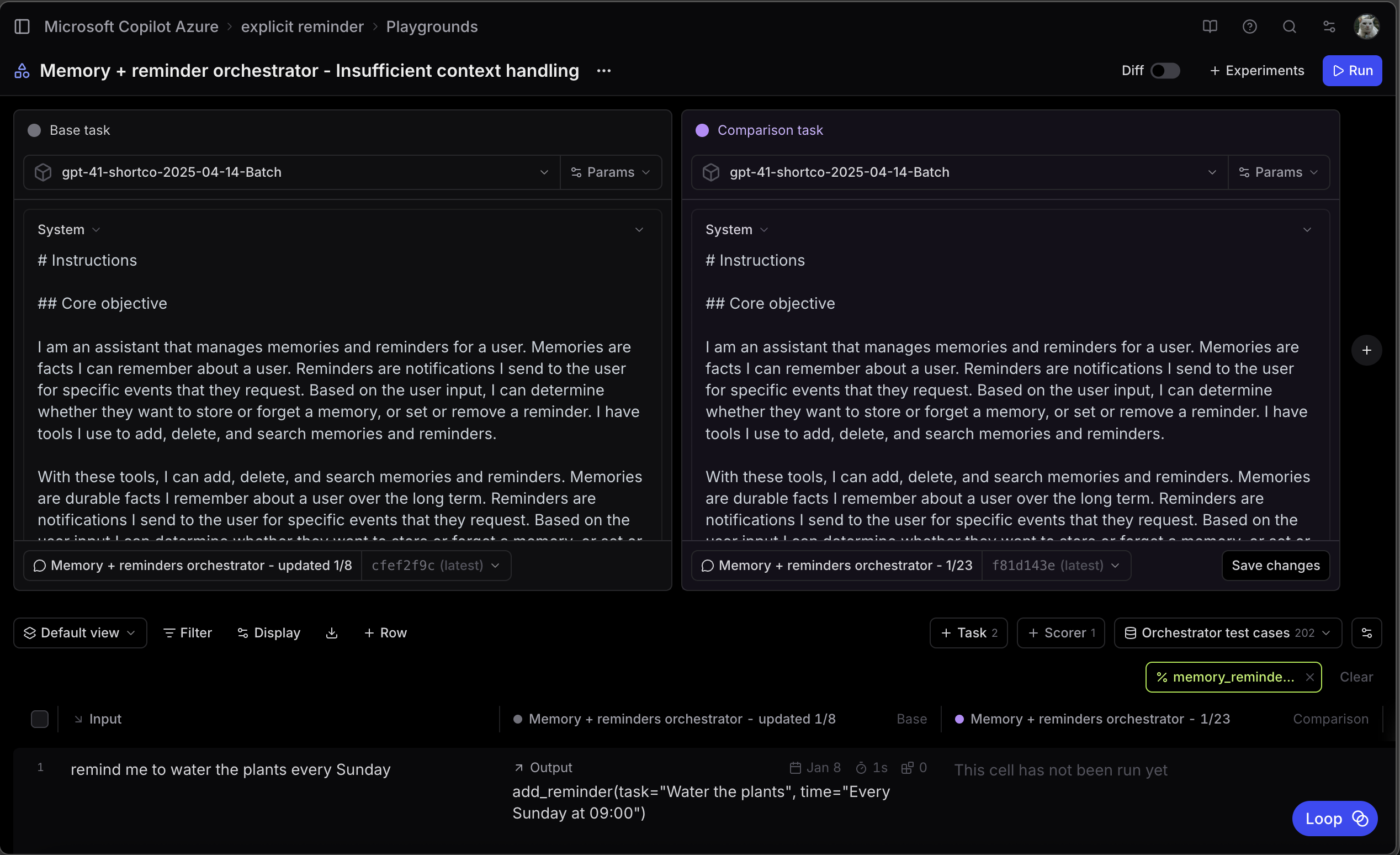
One of my Braintrust playgrounds
I wrote and iterated on prompts and scorers in Braintrust. I created synthetic data sets to run machine evals for all 4 reminders-related prompts. It was a significant effort to get passing evals and prompt review completed for all 4, especially since this was my first time doing tool-calling prompting.
There were many moments throughout this project where it was clearly advantageous to have a user experience perspective while doing prompt engineering. For example, I drove several discussions with backend engineering about the deeplink UX, as they had gotten feedback in their reviews that injecting a message to a new conversation (which would mirror competitive experiences) wasn't feasible given our timelines.
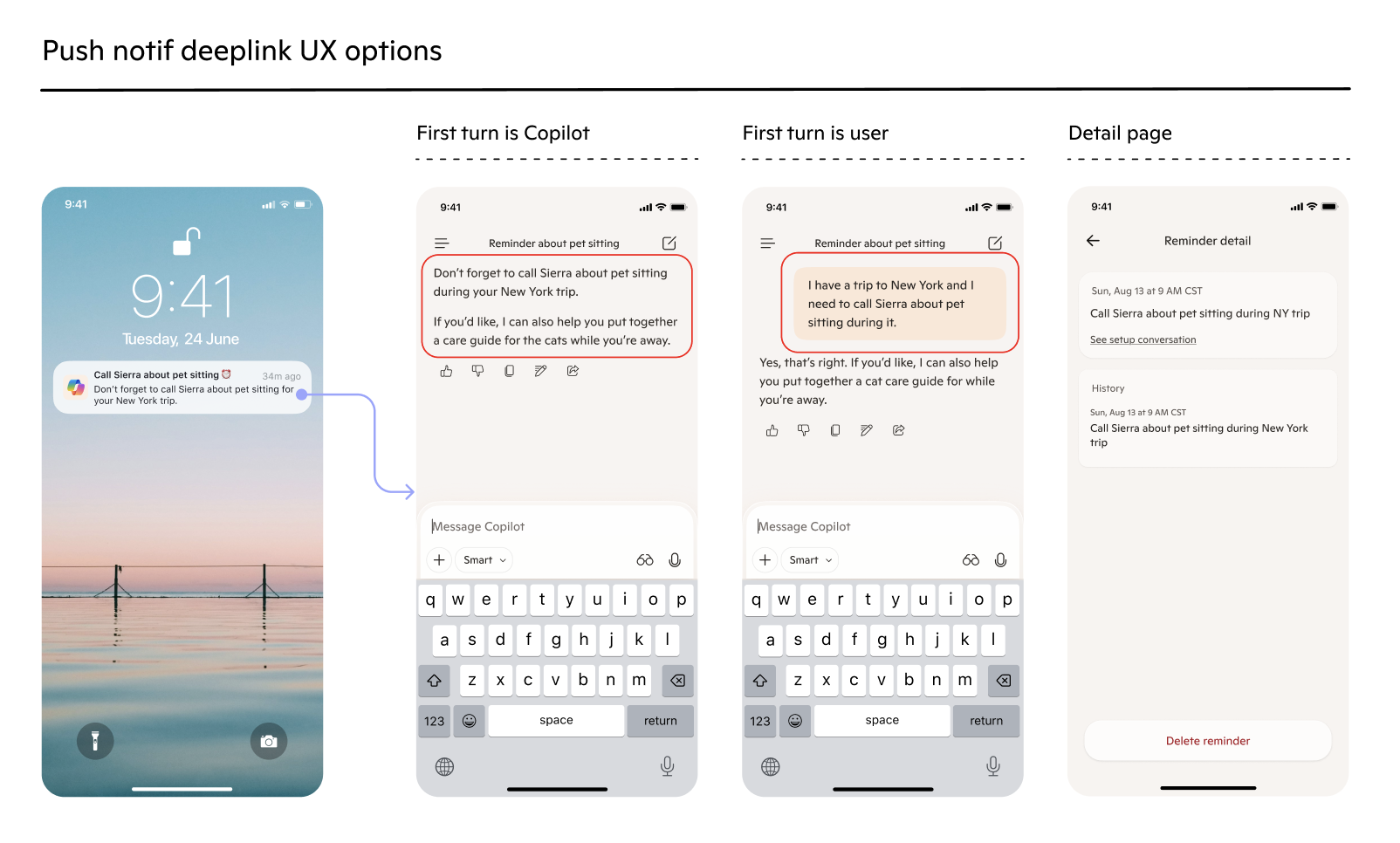
I outlined different deeplink options for reminder push notifications so we could clearly weigh the pros and cons of each. I felt strongly that a Copilot-first-turn deeplink UX was the best choice, as it provided an opportunity for Copilot to be proactive based on the context of the reminder.
I got alignment with Product to work toward this option longer term, but settled on a user-first-turn UX in the short term. This kept the user in the conversation (as opposed to the reminder detail page) and leveraged existing backend functionality (prompt passthrough) to help us meet our experiment timeline. I then worked on generating the passthrough content as part of the add-reminder and notif-content prompts.Outcomes
As of Jan 2026, we've launched reminders to the Copilot Beta app and are planning on moving it to an experiment in prod as soon as possible. Will follow up with metrics once I have them!